
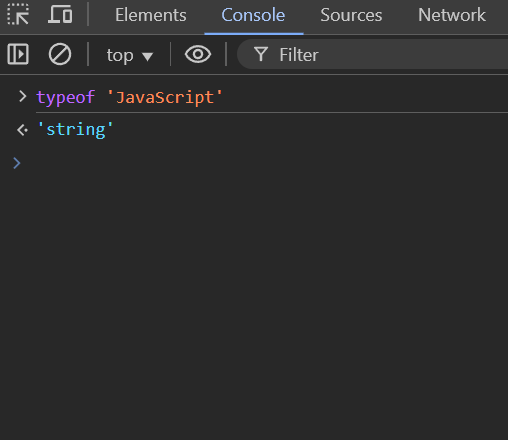
Alright, let’s cut the bullshit and get straight to the string methods in JavaScript that you’ll actually use in real-world coding. No fancy theory—just practical examples to help you understand and remember them.
Because let’s be honest, no one gives a shit about memorizing method names—you just need to know how to apply them when needed.
1. trim() – Removing Useless Spaces
Ever dealt with user input where people add random spaces before or after text?
💡 Use trim() to clean that shit up.
let username = "   JohnDoe   ";
console.log(username.trim()); // "JohnDoe"
🚀 Great for cleaning up form inputs before validation!
2. toUpperCase() & toLowerCase() – Standardizing Text
Sometimes you need text to be consistent (e.g., comparing emails).
💡 Convert everything to lowercase before comparing.
let email1 = "User@Example.com";
let email2 = "user@example.com";

console.log(email1.toLowerCase() === email2.toLowerCase()); // true
🚀 Essential when handling case-insensitive inputs like emails, usernames, etc.
3. split() – Breaking Strings into Arrays
Ever needed to split text into smaller pieces?
💡 Use split() to break a string by a delimiter.
let csvData = "apple,banana,grape,orange";
let fruits = csvData.split(",");

console.log(fruits);
// ["apple", "banana", "grape", "orange"]
🚀 Super useful when working with CSV files or user-entered data.
4. join() – The Opposite of split()
Sometimes you need to merge an array back into a string.
💡 Use join() when formatting output.
let words = ["Hello", "World", "!"];
let sentence = words.join(" ");

console.log(sentence); // "Hello World !"
🚀 Great for reformatting arrays into readable text!
5. replace() – Swapping Out Words
Want to replace a word inside a string?
💡 Use replace() for quick text modifications.
let sentence = "I love Java.";
let fixedSentence = sentence.replace("Java", "JavaScript");

console.log(fixedSentence); // "I love JavaScript."
🚀 Good for fixing user typos or reformatting text dynamically.
6. includes() – Checking for Substrings
Want to know if a string contains a certain word?
💡 Use includes() instead of manual searching.
let bio = "I'm a JavaScript developer.";
console.log(bio.includes("JavaScript")); // true
console.log(bio.includes("Python")); // false
🚀 Super useful for filtering search results, chat messages, etc.
7. indexOf() – Finding the Position of a Word
Want to know where a word appears in a string?
💡 Use indexOf() for precise searching.
let sentence = "The quick brown fox jumps over the lazy dog.";
console.log(sentence.indexOf("fox")); // 16
console.log(sentence.indexOf("cat")); // -1 (not found)
🚀 Great when you need the exact location of a substring.
8. slice() – Extracting a Part of a String
Want to cut out a piece of a string?
💡 Use slice() with start and end indexes.
let text = "Hello, world!";
console.log(text.slice(7, 12)); // "world"
🚀 Useful for trimming out important parts from long texts.
9. substring() – Similar to slice(), But Different
💡 substring() works like slice(), but doesn’t allow negative indexes.
let text = "Frontend Developer";
console.log(text.substring(0, 8)); // "Frontend"
🚀 Best for cutting out text when negative indexes aren’t needed.
10. padStart() & padEnd() – Adding Extra Characters
Need to format numbers or align text?
💡 Use padStart() or padEnd() to add leading/trailing characters.
let orderNumber = "42";
console.log(orderNumber.padStart(5, "0")); // "00042"
🚀 Great for formatting invoices, timestamps, or UI labels.
Final Thoughts
These 10 methods cover 90% of real-world string operations.
🔹 trim() – Clean up spaces
🔹 toUpperCase() / toLowerCase() – Standardize text
🔹 split() – Convert string to array
🔹 join() – Convert array to string
🔹 replace() – Replace text
🔹 includes() – Check if text exists
🔹 indexOf() – Find text position
🔹 slice() / substring() – Extract text
🔹 padStart() / padEnd() – Format text
💡 Practice these in real projects, and you’ll master them in no time!
Cheers, and happy coding! 🚀
Leave a Reply